
AI Portfolio Redesign: Showcase Your Work with React
Transform dated personal portfolio pages into sleek, high-converting React websites using automated AI layout tools.
Why Your Personal Portfolio Needs a Modern Redesign
Your personal website portfolio is your digital handshake with potential employers, freelance clients, and investors. Outdated portfolio pages with non-responsive image grids and slow loading speeds create a poor first impression.
Hiring managers evaluate hundreds of portfolios weekly. Delivering a sleek visual presentation with sub-1.5-second page load times sets you apart from competing candidates.
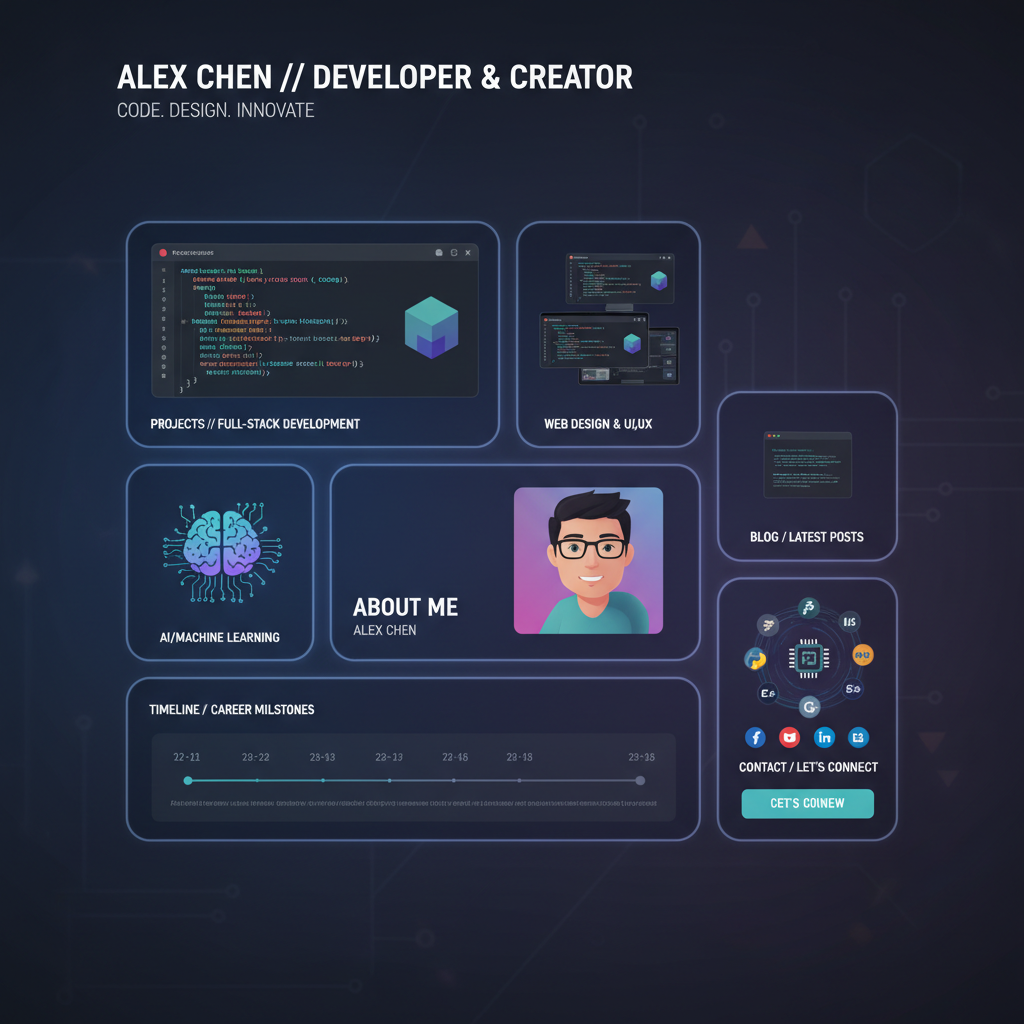
Modern portfolios leverage dark mode aesthetics, interactive case study cards, and accessible typography to highlight project achievements.
Integrating custom AI layout synthesis ensures your personal portfolio reflects modern UI engineering standards without requiring weeks of custom CSS coding.
Showcasing responsive mobile components gives prospective clients immediate confidence in your technical execution skills.
Redesignr.ai simplifies portfolio redesigns—ingesting existing site links or resume copy and generating exportable React component code in seconds.
4 Core Portfolio Enhancement Features
1. Interactive Case Study Bento Grids
Replace plain text project descriptions with modern Bento Grid card containers featuring dark mode glassmorphism and smooth micro-interactions.
2. Mobile-First Touch Controls & Responsive Grid
Ensure your work showcases seamlessly across smartphones, tablets, and ultra-wide monitors with fluid CSS grid rules.
3. Standalone Production React Code Export
Export 100% clean, un-obfuscated React component code and static HTML/CSS files. Host your portfolio on Vercel or GitHub Pages with zero builder subscriptions.
4. Accelerated LCP Speed for Hiring Managers
Optimized component structure guarantees sub-1.5s page loading speeds, preventing busy recruiters from bouncing.
Career Growth & Freelance Conversion Lift
1. Higher Recruiter Inbound Conversion
Clean visual hierarchy and prominent contact buttons make it easy for engineering managers to reach out for interview calls.
2. Host on Vercel or GitHub Pages Free
Export standard HTML and React code to host your portfolio 100% free on Vercel or Netlify without builder platform fees.
A portfolio is judged in seconds by someone with a specific question: can this person do the thing I need. Almost every design decision follows from making that answerable fast, and most portfolio problems come from optimising for something else.
The work is the content; everything else is packaging
On a portfolio, layout exists to present work at a size and rhythm where it can be judged. That means large images, consistent framing, generous space around them, and nothing competing.
The common failure — particularly among designers — is a site so elaborately designed that the work has to fight it. Animated backgrounds, unconventional navigation, ornamental typography. It reads as demonstrating skill in the wrong place, and it makes the actual work harder to see.
A restrained site that presents work clearly outperforms an inventive one in almost every discipline, including the visual ones.
Fewer pieces, shown properly
Six projects presented well beats twenty in a thumbnail grid.
A hiring manager or prospective client will look at two or three. Which ones they see should be your choice rather than a function of scroll position — and your weakest included piece sets the impression more than your strongest does.
This is the hardest edit in a portfolio redesign because everything included represents real work. It is also the highest-value one. A layout that gives each project genuine space forces the decision, which is part of why it helps.
Say what you did
Images alone leave the most important question unanswered: which parts were yours.
A short paragraph per project covering the problem, your specific role, and what happened is worth more than three additional images. For collaborative work it is essential — a viewer assumes either everything or nothing, and both are wrong.
Keep it brief. Long process narratives with research artefacts and workshop photographs are read by almost nobody; the problem, your role and the outcome are read by everyone.
Make contact obvious
Portfolios routinely bury the way to get in touch behind a navigation item, or offer only a form.
An email address, in text, on the page. It is the entire conversion goal of the site and it is treated as an afterthought more often than any other element.
Say what you are available for, too. "Available for freelance work from March" or "open to full-time roles in Berlin" removes a question the viewer would otherwise have to ask, and asking is friction that loses opportunities.
Practical things that lose you opportunities
A few recurring faults that have nothing to do with taste.
Enormous unoptimised images, so the site is slow — particularly damaging when someone is reviewing candidates on a phone between meetings. Case studies as PDFs, which nobody opens. Work behind a password with no indication of what is inside. And a portfolio last updated three years ago, which raises a question you do not want raised.
Also check it renders on a phone. Portfolios are disproportionately built and reviewed on large monitors and disproportionately viewed on small ones.
- Optimised images — large enough to judge, small enough to load quickly.
- No PDF case studies — put it on the page; PDFs do not get opened.
- Availability stated — what you are open to, and from when.
- A visible date — recent work visible, so the site does not look abandoned.
Where generation helps here
Portfolios stall for a specific reason: the person building it has strong opinions and no client deadline, so it never ships.
Generating a complete version from your existing site breaks that, because reacting to something concrete is far easier than starting from a blank canvas. Even if you rebuild it entirely afterwards, having something to disagree with moves it forward.
And because the layout is generated, the temptation to spend three weeks on a custom grid is removed. That temptation is why so many portfolios are perpetually half-finished.
Show fewer projects at larger size, say what your role was, put a real email address on the page, and ship it. A restrained portfolio that exists beats an inventive one that is perpetually unfinished.
Frequently Asked Questions
Why should creators redesign their portfolio using AI?
AI tools streamline portfolio redesigns by converting raw project images and text copy into modern, mobile-responsive React components in seconds.
Can I showcase live interactive web demos inside Redesignr portfolio templates?
Yes. Redesignr exports standard React code that supports embedded live demos, video previews, and interactive prototype cards.
Do I maintain 100% ownership over my portfolio code?
Yes. You maintain full intellectual property rights and code ownership over all exported React components.
Redesign Your Portfolio Today
Enter your portfolio link into Redesignr.ai to generate a modernized React showcase in seconds.
Start Portfolio Redesign Free